
Ways to earn

Pick your path.

Three services you can learn to offer. Start with one, make a sample and look for a business with a concrete use, a budget and an approver.

Google listing tune-ups
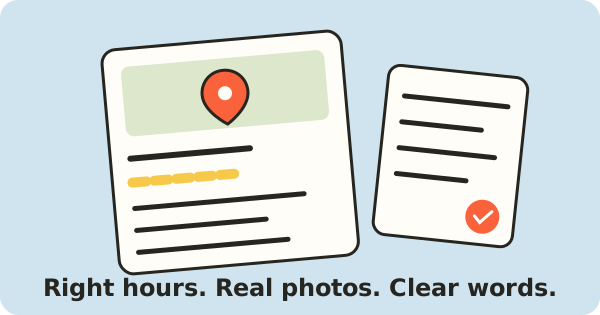
Listing and checklist illustration
Illustration of a listing checklist, not a client result

A checked audit, description, three updates, photo suggestions, hours check and review-request card, with steps the owner can follow.

Who buys
Established local businesses with an existing listing, an owner who can sign in and a visible problem worth checking.
Why a business pays
Listing details can leave a customer unsure when the business is open or what it does. Confirm the facts and budget before agreeing a small fix pack.
How AI helps
An optional prompt helps draft from approved facts. You check every sentence and the owner approves it.
What you need
A phone or computer, careful reading and a document editor.
Free practice option
Use the included text templates and an editor you already have. No Google account access is needed for the fix pack.
Your first sample
If you want to practise, check a public listing without contacting the business and label your pack as practice. You can also learn while doing an agreed job. Setup and learning time vary; work at your own pace.
Show me how

Social posts

A small batch of posts with matching pictures and captions, ready for the owner to approve and share.

Who buys
Businesses that sell services to other businesses, with useful advice or completed projects to explain, a place to share posts and money set aside for the work.
Why a business pays
An approved case study or useful explanation needs turning into posts for an existing publishing plan. Ask who can agree the price and check the finished posts.
How AI helps
AI helps write captions from their facts. Follow our examples to pair them with the right pictures.
What you need
A laptop or capable tablet, and a design tool.
Free practice option
Canva offers a free option. Start with your own text, photos and shapes. Check the tool’s current details ↗
Your first sample
Make one readable post and matching caption from permitted material. Setup and learning time vary; work at your own pace.
Show me how

Short videos

Supplied clipsOakline KitchensProject details
Fictional example: a kitchen-remodel video

Supplied project footage turned into one useful short video for an agreed publishing channel.

Who buys
Remodelers and other project businesses with footage they can let you use, or agencies with videos waiting to be edited.
Why a business pays
There is approved footage and a planned use, but the edit is unfinished. Ask how much they can spend and who can agree the work before offering one small paid job.
How AI helps
AI can assemble a first draft. We show you how to check the shots, words and sound.
What you need
An editing-capable device, headphones and a video editor.
Free practice option
DaVinci Resolve has a free desktop edition; check your computer can run it. Check the tool’s current details ↗
Your first sample
Finish one short video, checking the message, captions, sound and export. Setup and learning time vary; work at your own pace.
Show me how

Industry names are starting points, not proof of a budget or demand. Confirm the useful job, paid scope and permitted inputs. Examples use fictional businesses. Check each tool’s current device requirements, free-plan limits and content permissions before accepting paid work. Compare free practice options ↗

Learn what to make, who to approach and how to deliver.

EYF helps you choose a job, find a customer and deliver it, with directions and examples to follow.

Not sure? Tell us which path interests you.Explore the membership plan

Explore the guides, working materials and membership options.

Your first client starts with one useful step

Choose a path. Try one useful step.

Learn one service local businesses pay for. Build a sample, approach a suitable owner and work toward your first paid job.

Ask us about the service you want to learn or about membership.

Email support@earnyourfirst.com ↗

Opens your email app. Leave out passwords, payment details and private client files.