
Finished example
Fictional sample: Juniper Bike Care. The service you are learning is making a one-page website for a small business: a page that explains one thing the business offers and how to ask about it. This sample does that for an imaginary bike shop's visual bicycle check. You can show it to a buyer as an example of your work, labelled as a sample, without claiming the shop is a client.
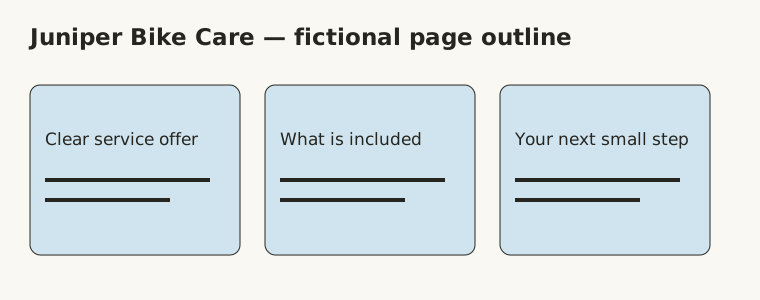
The page has five sections:
- The offer: “A visual bicycle check. We look over the visible parts of your bike and note anything worth asking about. It is not a repair or a safety test.”
- Who it helps: “Riders getting a bike out after the winter, or anyone who has bought a used bike and wants a second look.”
- What is included: “We look at the tyres, brake pads, chain and gears you can see, and write down questions to discuss with you. Any repair is quoted separately.”
- A common question: “Do you fix things during the check? No. We point out what we noticed, and you decide whether to ask about a repair.”
- Next step: an “Ask about a check” button. In the sample, it jumps to a note further down the same page explaining that a real version would link to the shop's contact page. It sends nothing.
A client delivery adds the source files or access to the owner's own builder account, a place for the owner to review the page before it goes live, the approved wording, and a handoff note saying who owns the domain, who pays ongoing costs and which checks were actually done.
- Starting costs
- Build a sample one-page website locally with plain HTML/CSS or a free preview tool. A real client chooses and pays for live hosting and a domain separately.
- Ongoing costs
- Live hosting, a custom domain, forms and premium builder features can cost money. The buyer should own production accounts and approve recurring costs.
- Device and work style
- laptop · Off camera · Client service
- Bring these basics
- Comfort learning responsive layout and testing links. Ability to turn a business brief into clear page copy. Understanding that private forms, payments and legal claims need extra care.
Fit and tradeoffs
You can deliver this service yourself: you write, build and check the page, so the skills below apply to you. EYF-supported delivery is paused. If it reopens, it is planned only for agreed updates to an existing page the owner controls, not new builds. Either way, you keep the client relationship: you agree the job, collect the approved wording, get the approvals and get permission to publish. This plan is written for doing it yourself.
This suits someone who enjoys clear writing, tidy layout and checking how a page behaves on different screens. You do not need to appear on camera, but you do need to talk through the job with the owner and learn enough about your chosen tool to hand over something reliable.
Skip it if you want a quick sale without testing, or you cannot explain recurring hosting costs. A simple page can quietly grow into copywriting, branding, booking, forms, analytics and ongoing maintenance. A beginner offer should name the features it leaves out.
How it works
- Learn a small complete page. Build and revise your sample page before selling a live one. Get comfortable with headings, navigation, layouts that work on phones and basic accessibility.
- Define a narrow offer. Agree the sections, where the wording comes from, one round of changes, how the files are delivered and who handles later changes. Keep design separate from hosting and maintenance.
- Ask about the visitor’s task. The page should answer a real question and lead to one appropriate next step. A page cannot rescue an offer nobody wants.
- Find a relevant buyer. Look for a specific gap, such as a service with no clear explanation online, and ask whether the owner wants it solved. A rough website is not an invitation to redesign it.
- Share a copy outline before polishing. Confirm the service description and any claims first. Never add invented reviews, qualifications or urgency to fill a layout.
- Test and hand over. Check links, narrow screens, keyboard focus and the contact route. Get separate permission before publishing, keep production accounts with the owner and explain the recurring costs.
Get Customers
Look for a service people struggle to understand, or a next step they cannot find. A useful page explains that one service and leads to a working, owner-approved contact route. Start from that problem rather than offering a redesign to every business you see.
Choose your delivery route first
For DIY, finish your sample page and check it on narrow and wide screens, with a keyboard and through every link. Make sure the demo contact button is clearly labelled. Have that page ready to show before you offer paid work. Supported delivery would only cover updates to an existing owner-controlled page, and it is paused for now; the delivery page shows its current status.
Shape the offer in the buyer’s words
Using the Juniper Bike Care sample, the visitor's problem is simple: they need to understand what the bicycle check includes and how to ask about one.
Before quoting, you need to know: the service and who visits the page, the approved facts and photos, the real next step, which platform the page lives on, who owns the accounts, and who approves the result. Domain and hosting costs, booking or payment systems, ranking promises and ongoing maintenance sit outside this offer.
Three routes to a first buyer
A local group that allows offers. In a Facebook or Nextdoor group for the area where you actually live or work, check the rules first, then reply only where business responses are welcome and the request fits:
A warm introduction. Ask someone you know whether they would like to pass on a note:
A relevant personal message. Use something you genuinely noticed, sent through the contact route the owner lists for business:
If their current page already does the job, move on. Never criticise whoever built it or use their branding without permission. You can ask about the need before your sample is ready, as long as you do not promise a build you cannot deliver yet.
A complete example conversation
This fictional teaching case uses Eli, who runs Juniper Bike Care, and Avery, the seller. It shows one delivery variant: Eli already has hosting, supplies a photo, and Eli's nephew Sam handles every upload, so Avery never needs access to the hosting account. The website handoff guide continues this same case. The worked example in the paid pack is a separate variant: a text-only page sent as an HTML file by email with no hosting involved. The fee and dates here illustrate an agreement; they are not an EYF price, a market rate or a real result.
Avery: I looked for how to ask about your bicycle check, but couldn't find a page explaining what it covers. What do customers ask you most?
Eli: Whether we fix anything in the check. We look at visible parts and note questions to discuss; it isn't a repair or safety test.
Avery: I can build a single page explaining that, with five sections and a link to your existing contact page. What is your website built with, and who looks after it?
Eli: It's plain HTML on my hosting account. My nephew Sam manages the hosting and uploads the files. I own the domain and pay the renewal. Use our current contact page for inquiries, and please show our opening hours: Monday to Friday, 9am to 5pm.
Avery: Then I'll deliver an HTML file and the approved image for Sam to place on your hosting, so I won't need any access to your account. I'll put the hours next to the contact link. Can you supply the photo and check the wording? Who approves the final page?
Eli: I'll send a photo I took and the service wording. I approve the page, and Sam will publish it after I say yes. No booking or payment system is needed.
Avery: I'll send the outline, fee and dates below. Sam can upload my draft to a test folder on your hosting that isn't linked from your site, so you can check it on your phone. It only replaces your live page after you approve. Your hosting and domain stay yours.
The page purpose, platform, contact destination, opening hours, files, approval and publishing responsibilities now have answers. A job on a website builder, or one where you edit inside the client's account, would need a separate decision about tool access and handoff.
Handling replies
- Interested: “Which service and visitor matter most? Which facts and photos are approved, who owns the platform and accounts, and who signs off the page and the contact route?”
- Price question: “Once I know the platform and the wording, I’ll quote the page, its sections, one tested contact link, one round of changes and the handoff. Hosting, booking and ongoing updates are separate.” Base the amount on how long your sample page took, including checks and corrections, and agree it in writing before starting.
- Asks for guaranteed bookings or rankings: “I can build and test the page we agree. I can’t promise bookings, traffic or search positions.”
- Already has a web person, or not interested: “Thanks for letting me know, I’ll leave it there.” Then stop.
- Wants booking or payments built in: “That changes the job. Let’s work out what it needs before treating it as part of a simple page.”
- No clear contact destination or ownership: Pause until the owner has confirmed the real next step and set up access they control. Never accept passwords or two-factor codes.
- Not now: “Would it be alright to check back later?” Only return if they say yes.
If nobody replies
If the channel suits a follow-up, send one a few days later: “Just checking whether a clearer bicycle-check page would be useful right now. No worries if not.” Then stop. Look at what to change for the next owner: a better-matched business, a sharper observation, a clearer sample or a narrower offer. Change one thing and try someone new.
Agree a small paid pilot
Start with this one page. Here is the complete agreement for the same fictional case:
Eli replies: “Confirmed: the scope, hours, USD150 fee, inputs and dates work. I approve the page, and Sam publishes it only after I separately approve publication.” In this teaching case, Avery records the payment when it arrives on 12 October. For a real job, choose your fee from the time your own sample build, messages and checks took.
Keep the answers in one brief and welcome the client with the agreed dates. The website handoff guide follows this job through the final handoff note. Your client pays you directly; any later EYF-supported existing-page update would be a separate arrangement.
Deliver, revise and get acceptance
Share the draft where the owner can review it. For Eli, that is the unlinked test folder on Eli's own hosting, where Sam uploads the files Avery sends. Ask for all corrections in one list. Make the agreed changes, send the revised files to Sam, then open the test-folder page and repeat the checks: narrow and wide screens, keyboard focus, every link, the opening hours against Eli's message, and the “Ask about a check” link reaching the real contact page. Write down what you actually checked and anything that did not work.
Your handoff note says where the final files are, which line of index.html holds the opening hours and how Eli can change it and send the file to Sam, that Eli owns and renews the domain and hosting, and that your help with questions ends on Friday 23 October. Then ask: “Does this final page match the service, wording, hours and contact link we agreed? Please reply to confirm you accept it.” Save the yes with that version. Publishing is a separate yes from Eli, and Sam keeps a copy of the old page so it can be restored if something goes wrong.
Get permission for proof and discuss useful updates
Save the acceptance with the final files, and keep the payment record separately. If a real agreement has payment due on delivery, ask for it now and follow up politely under the agreed terms if it is late. Only claim a paid project once the payment has arrived; the fictional example above is not a client result you can claim.
Ask separately: “May I show this page in my portfolio and name Juniper Bike Care?” Having worked on the owner's site does not give you that permission. If they are happy, ask whether they would like to introduce you to another owner whose service needs explaining.
A repeating job needs a real repeating change. Suppose Eli changes opening hours with the seasons and sometimes wants a fresh workshop photo on the page. A monthly update could work like this: Eli sends any new hours and up to one photo they took by the 1st of the month. You update the hours line and the image in index.html, check the files on a phone and send them to Sam, who uploads them to the test folder. You check the contact link there, and Eli approves the update in writing. After Eli says yes, Sam publishes it. Agree in writing the monthly fee (the handoff guide's example is USD30 for each month with changes, paid when Eli sends that month's update), that one set of hours and one photo are included, and that either of you can stop by saying so before the next 1st. Domain renewal, security and uptime monitoring stay with Eli unless you explicitly offer them.
You can also approach another suitable owner with your labelled sample and try another route. A useful next job comes from new information or another real need.
Your next step
Run the phone, keyboard and link checks on your sample page and fix one thing. Then note one real service that is hard to understand online, choose a route from above, and write your opening message in your own words.
What buyers need
A plausible buyer needs visitors to understand the offer and know what to do next. Confirm the specific problem with questions: “What do people ask before booking?”, “What can the page truthfully promise?” and “Who will update the details after handoff?”
Upwork’s research includes web design, but that marketplace signal is broader than this beginner offer. Webflow’s plan page shows why a free practice environment is different from custom-domain hosting. Google’s SEO guidance supports clear, useful pages; it does not mean a new page will rank or bring in customers.
Pricing, publication and data collection are decisions the owner approves. For a first project, a clear static service page is often enough. Leave out payments and sensitive data collection, even when a tool offers the button.
Common questions
Do I need to code?
You can use a visual builder or learn basic HTML/CSS. Either way, you need to understand the tool’s limits and be able to test and explain the result. Pick one route for your first sample.
Can the sample page be free?
Yes. A local HTML/CSS page needs no paid host, and some builders offer free staging. A real custom domain, live hosting or advanced features may cost money, so check the current plan before telling anyone hosting is free.
Who should own the domain and account?
For a live business website, the owner should control their domain and production account. Write down any access you keep and who handles maintenance before launch.
Can I guarantee more sales or search traffic?
No. A clear page can make it easier for visitors to get in touch, but traffic, the offer itself and customer behaviour are outside your control. Never invent a conversion lift or ranking promise.
What should I do about forms?
Keep a sample page demo-only. For a real form, confirm where the data goes, what is collected, who can see it, how consent works and who deletes it. Agree that as extra work.
Your free first task
Build a sample one-page website for a bike shop
- Make a one-page website for fictional Juniper Bike Care. It explains a visual bicycle check, who it helps, what is included, one common question and how to ask about a check. Label it as a sample, so you can show the page to a buyer honestly.
- Outline five sections: the offer, who it helps, what is included, a common question and a next-step area. Write plain-text copy before choosing colours.
- Build a static HTML/CSS page locally or use a free staging tool. Use your own words and original shapes, and leave out any working form that collects personal details.
- Check the page at narrow and wide widths. Use real heading levels, readable text, a visible focus style and a descriptive page title.
- Click every navigation and action link. A practice contact button can jump to an in-page explanation of the next step; label it as a demo so nobody thinks it sends a message.
- Save the source and a handoff note listing what works, what is demo-only, and which hosting and domain choices a real owner would need to approve.
You’re done when
One clearly labelled practice page explains a service in five useful sections, has no broken links at narrow or wide widths, and comes with editable source plus an honest handoff note covering demo-only parts and hosting choices.
No account, payment or public post is required.
When you’re ready to go further
The full service pack
The member pack adds step-by-step lessons, client messages, an onboarding form and a delivery checklist for this service.
- A one-page brief, copy outline and original HTML/CSS starter.
- A scope/estimate worksheet and buyer outreach draft.
- Responsive review, launch permission and owner handoff checklists.
Membership covers every published pack. Purchases are not open yet, so start with the free task above.
Explore membership ↗ Save this serviceSources and review
Prepared by EarnYourFirst. Published 2026-09-30; reviewed 2026-10-02.
- Upwork: 2025 skills research — accessed 2026-09-30. Marketplace research describes demand signals on one platform during its study period. It does not verify demand for this exact offer, beginner rates or likely earnings.
- Webflow: plan and staging limits — accessed 2026-09-30. A free staging option is distinct from a paid custom-domain site. Check current limits before recommending a plan.
- Google: SEO starter guide — accessed 2026-09-30. Clear crawlable structure and useful content support discovery; they do not guarantee rankings or traffic.